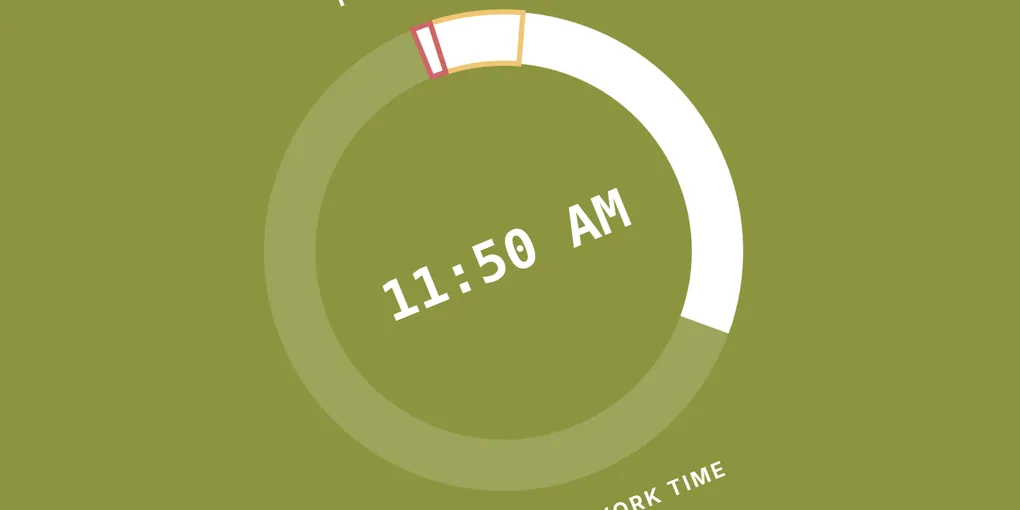
Studio Timer App
This application displays a live clock that changes color based on your schedule to signal active work time, cleanup time, and final dismissal preparation. It is designed to help maintain consistent studio routines without watching the clock.
Example with added parameters.
Pro Tip: Once you configure the URL parameters with your custom class schedule, bookmark the page in your browser for easy daily access.
How to Use My App
You can customize the clock by adding parameters directly into the browser URL:
- Start with a question mark (
?) after/clock. - Separate each additional parameter using an ampersand (
&).
URL Parameter Reference
| Parameter | Type | Description | Example |
|---|---|---|---|
| Class Schedule | Time Range | Start each parameter with P followed by your period name. Set equal to start and end times in 24-hour format (HH:MM-HH:MM). |
P1=08:00-08:50PAPStudio=13:05-13:59 |
yellow |
Number (Minutes) | Length of the cleanup phase. Supports whole numbers and decimals. (Default: 6) |
yellow=6 or yellow=7.5 |
red |
Number (Minutes) | Length of the pre-dismissal quiet time phase. Supports whole numbers and decimals. (Default: 2) |
red=2 or red=1.5 |
mute |
Boolean (true / false) |
Toggles bell sound effect at the beginning of cleanup period. Set to false or 0 to enable audio. Because of modern web browser security policies, the user must still at least click the webpage once when this feature is enabled. (Default: true) |
mute=false or mute=0 |
Visual States Guide
The application switches colors automatically based on where you are in the class period:
- Active Work Time (Green): Normal studio working time.
- Cleanup Phase (Yellow): Triggered when the remaining class time reaches your
yellowparameter threshold. - Pre-Dismissal Phase (Red): Triggered when remaining time reaches your
redparameter threshold. - Passing Period / Break (Blue): Active between scheduled periods.